How to Verify a Gandhinagar Project on GujRERA

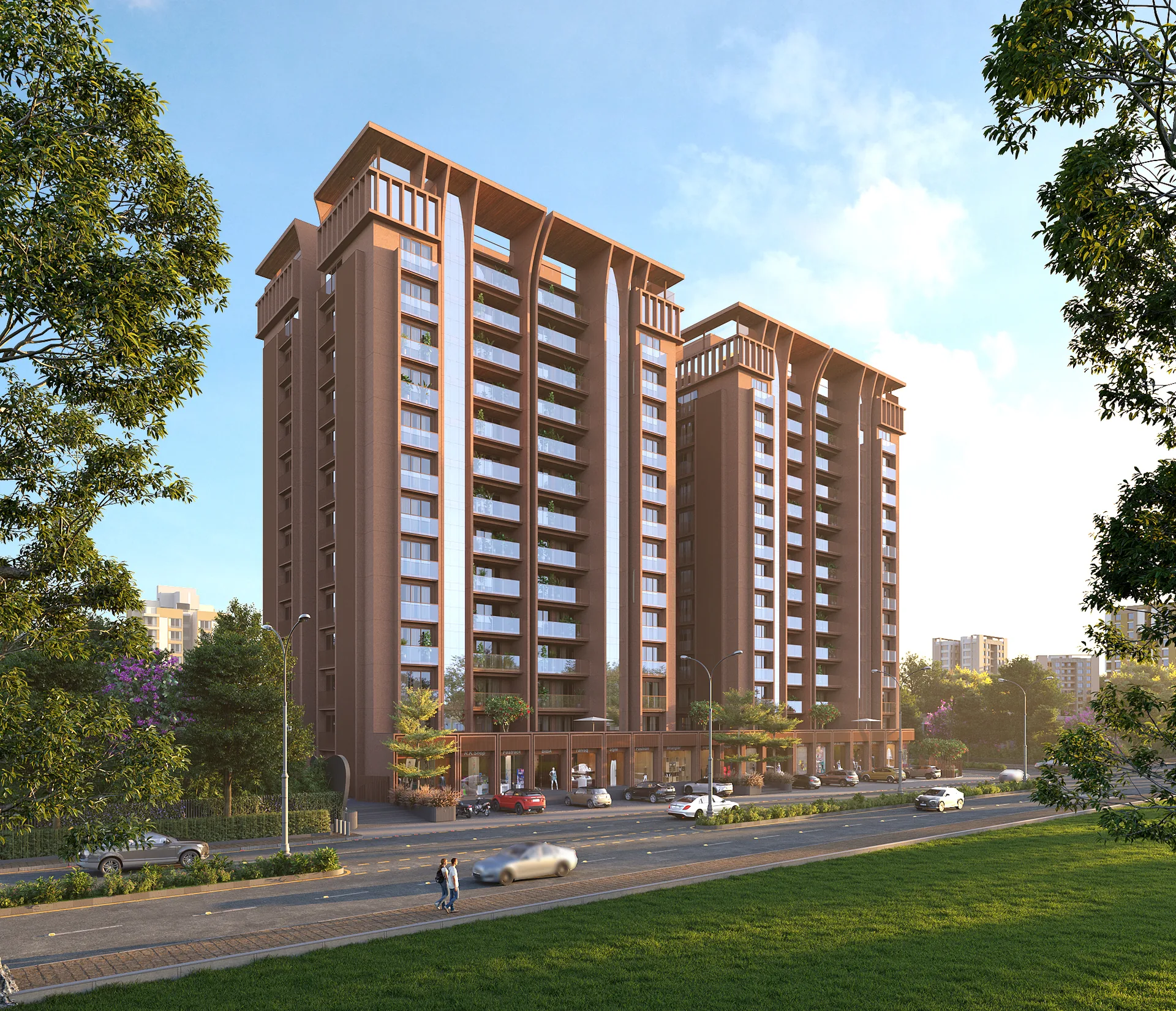
Architectural visualisation of Ariva in Sargasan used in a GujRERA verification guide
Ariva Buyer due diligence

Verify the record, not just the logo.

Match the exact phase, legal promoter, dates, plans, inventory and latest updates before you proceed.

Editorial review: 15 July 2026. Recheck live portal fields.
Architectural visualisation
Legal + informational guideApprox. 12 min read

A brochure explains how a project is marketed. GujRERA helps you check how it is registered and what the promoter has disclosed. The useful part is not merely finding a number; it is matching that number to the correct project or phase, legal promoter, location, dates, inventory, documents and latest updates.

This guide gives you a repeatable GujRERA project verification process and an Ariva worked example. It is educational information, not legal, title, financial, engineering or investment advice.

What you will leave with

  • Seven verification steps that you can mark as reviewed in this page.
  • A field glossary for promoter, phase, project type, dates, plans and quarterly updates.
  • A conflict matrix for brochure, portal, agreement and written sales responses.
  • An Ariva example that separates the customer-facing brand from the legal RERA promoter.
  • A five-page PDF worksheet for saving evidence before a token, agreement or major payment.
Quick answer

To verify a Gandhinagar project on GujRERA, search the official portal using the exact registration number. Match the project or phase name, legal promoter, location and project type. Record the live status and registered timeline, inspect available plans, approvals and inventory details, and read the latest quarterly updates. Finally, compare every important brochure claim with the registered record and your draft Agreement for Sale. Save dated evidence before paying or signing.

Important: GujRERA registration improves transparency; it is not a construction-quality certificate, title opinion, investment guarantee or substitute for independent legal and technical due diligence.

Why GujRERA matters to a Gandhinagar buyer

The Real Estate (Regulation and Development) Act, 2016 was created to improve transparency, accountability and consumer protection in real estate. The Ministry of Housing and Urban Affairs explains that promoters must place project information on the regulatory authority website and provide specified quarterly updates. The official record therefore gives you a structured place to test important sales claims.

It does not answer every question. A GujRERA record cannot replace a review of the draft Agreement for Sale, title documents, sanctioned plans, finance, construction quality or the specific unit. Treat portal verification as one layer in a broader evidence pack. Our 3 BHK flats in Gandhinagar buyer guide helps you frame the wider location and product comparison.

Use careful language when you document the result. Say "GujRERA-registered", "registration details available on GujRERA" or "information checked against the record on [date]". Avoid treating "RERA approved" as a quality claim.

01

Exact registration number.

07

Repeatable verification steps.

10

Buyer questions answered.

Q

Quarterly refresh recommended.

The seven-step GujRERA verification process

Work in order and mark each step only after you have saved the relevant evidence. Your progress is stored on this device; it is a convenience, not an official record.

Verification progress0 of 7 reviewed

Open the official GujRERA portal

Use the official Gujarat RERA website rather than relying on a property portal, advertisement or search-result snippet. If the promoter has supplied a registration number, search with that exact number first.

  • Record the page URL and date and time accessed.
  • Save a PDF or screenshot of the result.
  • Keep the exact search text with your evidence.
Buyer action: Start at gujrera.gujarat.gov.in; portal navigation and field labels can change.

Match the project and phase identity

Confirm that the registration number opens the project you are actually considering. Match the project or phase name, location and other identifying details shown in the live record.

Section 3 of the RERA Act treats each phase of a phased development as a standalone real estate project for registration. A number for an earlier or neighbouring phase does not automatically verify the phase being sold to you.

Buyer action: Ask the sales representative to identify the exact registered phase for your proposed unit in writing.

Match the legal promoter and project type

Read the legal promoter's name exactly as displayed and confirm whether the registered project type matches the offer being presented.

A customer-facing developer or project brand can differ from the legal entity registered as promoter. Compare the promoter with the booking form, payment instructions, receipt, draft Agreement for Sale and any allotment letter. Also check whether the development is residential, commercial or mixed use.

Buyer action: If brand, promoter, seller or payment recipient differs, request a written explanation of every entity's role before paying.

Record the dates, status and extensions

Copy the live registration status and every relevant date exactly as displayed. Compare the registered timeline with any extension and the contractual possession clause in the draft Agreement for Sale.

The portal may show registration, commencement, proposed completion, validity, extension or last-update fields. Do not rename a portal date as a guaranteed possession date. The registered project timeline and the contractual possession provision serve different purposes.

Buyer action: If portal, brochure, sales message and agreement dates differ, request a written reconciliation and obtain independent legal advice.

Review inventory, plans and approvals

Inspect the unit or inventory information and available project documents, including sanctioned plans, layout plans, approvals, commencement documents and specifications where displayed.

Compare any unit type, count and carpet-area information with the exact unit plan, area statement, parking terms, specifications schedule, payment schedule and draft Agreement for Sale. Availability of documents and labels can vary by portal and update.

Buyer action: Download what is available and list every missing, illegible or inconsistent document for written clarification.

Read the latest quarterly updates

Open the latest quarterly update, note its reporting period and upload date, and compare it with earlier periods, current sales claims and what you can observe at the site.

Look for consistency in reported construction progress, inventory or booking information where available, approvals, uploaded documents and the promoter's current statement. An old or incomplete update is a reason to ask focused questions; it is not automatic proof of a violation.

Buyer action: Compare at least two reporting periods when available instead of reading only the latest headline figure.

Resolve conflicts and create an evidence pack

Create one evidence sheet for the brochure claim, GujRERA record, draft agreement, promoter's written response and your decision. Save dated copies before proceeding.

Include the record, quarterly updates, plans reviewed, brochure or sales material, written promoter responses, latest agreement draft and notes from independent reviews. A sales explanation is not a substitute for a corrected document or suitable written contractual commitment.

Buyer action: Pause if a material registration, promoter, phase, date or plan conflict remains unresolved.

GujRERA field glossary: what to read

The exact labels and downloadable documents on GujRERA can change. Use this map to understand the purpose of a field, then copy the wording from the live record exactly.

Identity

Registration number

The unique identifier for a registered project or phase. Match every character.

Identity

Project or phase

The registered development being reviewed. Each phase may have its own number.

Entity

Promoter

The legal entity registered as responsible for the project; it may differ from the brand.

Use

Project type

The registered nature of the development, such as residential, commercial or mixed use.

Timeline

Status and validity

Live status and declared timeline fields. Record them with the access date and any extension.

Product

Inventory and area

Unit types, counts or carpet areas where displayed. Match these to the unit documents.

Documents

Plans and approvals

Sanctioned plans, layout plans, permissions and supporting records available for review.

Updates

Quarterly update

A periodic promoter disclosure. Always note the reporting period and upload date.

Contract

Agreement for Sale

Your contractual document. Review its unit, payment and possession provisions separately.

Brochure vs GujRERA: how to handle a difference

A discrepancy is a prompt for further investigation, not automatic proof of wrongdoing. Document the exact difference and request a written response. Use the following matrix as your next-action guide.

If this differsWhat to checkSafe next action
Project or phase nameRegistration number and exact phase identityPause and obtain written confirmation that the proposed unit belongs to the displayed registration.
Promoter and brandLegal promoter, contract entity and payment recipientAsk for each entity's role in writing; ensure the agreement and receipts identify the correct parties.
Registration numberThe live GujRERA resultDo not rely on the brochure number until it opens the correct project or phase.
Project typeResidential, commercial or mixed-use descriptionConfirm that the offered unit belongs to the registered use and inventory.
Completion or possessionLive record, extension details and draft agreementRequest a written reconciliation; do not select whichever date sounds more attractive.
Unit count, type or carpet areaPortal information, unit plan and agreement scheduleRequire the exact unit area and description in the contractual documents.
Layout or amenitiesSanctioned plans, registered documents and agreementTreat renders as illustrative unless the commitment appears in approved and contractual documents.
Construction progressQuarterly updates and physical site evidenceAsk for the reporting period, supporting evidence and an explanation of any gap.
"RERA approved" claimActual registration status and recordUse "RERA registered"; registration is not a quality certification.
Verbal assuranceWritten response and contractDo not treat an oral assurance as resolved until it is documented appropriately.

Ariva worked example: separate brand from promoter

This example shows the method. The values below come from the approved Ariva campaign source register and must be rechecked against the live GujRERA record before a buyer relies on them.

Campaign source register

Ariva, Sargasan

  • ProjectAriva
  • Customer brandShree Buildcon
  • RERA promoterM/S Shree Tatvam Developers
  • DevelopmentMixed development: residential flats and commercial shops
  • LocationOpp. Shree Rang Nano City-1, Palm Road, Sargasan, Gandhinagar 382421
  • Residential source102 three-bedroom homes; recheck the live inventory before relying on it

The example demonstrates why "Shree Buildcon" and "M/S Shree Tatvam Developers" should not be treated as interchangeable. Match the legal promoter to the booking form, receipt, payment recipient and Agreement for Sale.

Ten red flags worth investigating

A red flag means "stop and verify," not "wrongdoing proven." The quality of the written explanation and supporting documents matters.

01

Wrong result

The supplied number opens a different project or phase.

02

Identity mismatch

The project name, phase or address does not match the offered unit.

03

Unexplained entity

The promoter differs from the agreement or payment recipient without a written role map.

04

Unclear status

Live registration status or validity is unclear or conflicts with current sales statements.

05

"RERA approved" only

Marketing uses the phrase but does not provide a verifiable registration number.

06

Unit mismatch

Unit type, carpet area, layout or use differs across portal, plan and agreement.

07

Old update

The most recent quarterly information is old or conflicts with current progress claims.

08

Documents withheld

The sales team will not share the agreement draft or relevant plans before seeking payment.

09

Verbal-only assurance

Important promises are offered only in conversation and are absent from documents.

10

Pressure to proceed

You are asked to pay or sign before material differences are answered in writing.

Free five-page PDF

GujRERA Project Verification Sheet

Record the exact project and phase, promoter, dates, inventory, plans, quarterly updates, conflicts and final decision. Page five includes the Ariva worked example and fields that must be rechecked live.

Download worksheet

Frequently asked questions

How do I search for a Gandhinagar project on GujRERA?

Open the official GujRERA portal and search with the exact project registration number whenever possible. Then confirm that the result matches the project or phase name, promoter and location. A name-only search can produce similar projects, so the registration number is the stronger starting point.

Is every phase of a project registered separately?

Under Section 3 of the RERA Act, each phase of a phased development is treated as a standalone real estate project and requires separate registration. Verify that your proposed unit belongs to the exact phase and registration number shown to you.

Which possession date governs - the GujRERA date or the agreement date?

The portal helps you check the project's registered timeline, while the Agreement for Sale contains the contractual possession provisions for your purchase. Compare both. If they differ, ask for a written reconciliation and obtain independent legal advice rather than assuming one date automatically resolves the issue.

What should I do if the brochure and GujRERA record differ?

Pause the transaction and list every difference. Ask the promoter to respond in writing and compare the answer with the sanctioned plans, registered documents and draft Agreement for Sale. Do not rely only on a verbal explanation or an updated brochure image.

Is GujRERA registration a construction-quality guarantee?

No. Registration and disclosure improve transparency, but they do not replace a structural or technical inspection, title search, financial assessment or review of the Agreement for Sale. Buyers should complete those checks separately.

What can quarterly updates tell a buyer?

Quarterly updates can help a buyer assess the latest information disclosed about the registered project and compare progress across reporting periods. The exact fields and documents available can vary, so record the reporting period and upload date and verify the current portal display.

Can the project brand differ from the RERA promoter?

Yes. A project may be marketed under a customer-facing brand while a different legal entity is registered as promoter. Check the promoter's exact name against the booking form, payment recipient, receipt and Agreement for Sale.

Does a GujRERA record replace a property-title check?

No. Even when title or encumbrance-related information is available in the project disclosures, a portal review is not a unit-specific legal title opinion. Ask an independent property lawyer to review the relevant land and transaction documents.

Is finding a valid RERA number enough before booking?

No. Also match the phase, legal promoter, location, project type, status, dates, inventory, available approvals and quarterly updates. Then compare these details with the exact unit documents and draft agreement.

When should I repeat the GujRERA verification?

Check before serious consideration, repeat it immediately before paying a token or signing documents, and check again if the transaction takes time or the promoter issues revised information. Save a dated copy each time because live records can be updated.

Editorial method and official sources

Prepared by: Shree Buildcon Editorial Team. Editorial review: 15 July 2026. Refresh: quarterly and whenever the project record or portal interface changes.

Official sources support the general verification method. Project-specific status, dates, documents and inventory must be taken from the live record on the date of the buyer's decision.

  1. 01
    GujRERA portal

    Official Gujarat project and promoter search surface. Record the live URL and access time.

  2. 02
    Ariva GujRERA project record

    Direct record supplied in the campaign source register. Recheck every live field.

  3. 03
    MoHUA: Frequently Asked Questions on the RERA Act, July 2025

    Official guidance on project registration, disclosures, quarterly updates and promoter duties.

  4. 04
    India Code: Real Estate (Regulation and Development) Act, 2016

    Official Act text and section index, including Sections 3, 4, 11, 12 and 13.

  5. 05
    Ariva microsite

    Customer-facing project information to compare with the legal promoter and live regulatory record.